
When your AI assistant starts writing your blogs about building AI assistants, you know something meta is happening
You know that feeling when you’re explaining the same thing for the tenth time and you think “there has to be a better way to do this”? That was me last week, staring at another client Slack thread where I was typing out my standard AWS architecture advice… again.
Then I remembered Anthropic had just released Claude Skills. I’d read about them, thought “interesting concept,” and promptly did nothing about it. But sitting there copy-pasting the same Lambda vs EC2 explanation I’d given to three different clients, something clicked.
What if I could teach Claude to write my blogs the way I write them? Not just “write a blog post” generic AI slop, but actually follow my structure, my research process, my voice?
So I built a Skill that does exactly that. And honestly? It’s writing parts of this blog right now.
Let me show you what happened when I went from “Skills sound cool” to actually shipping one to production.
What I Thought I Was Building
The concept seemed straightforward: a Skill that takes some notes about my hands-on experience with tech, researches the details to verify accuracy, generates a blog following my established structure, creates image descriptions, fetches or generates those images, and publishes everything to WordPress.
Simple, right? Just a few API integrations and some instructions.
Here’s what I actually needed:
- Input handling for my tech notes
- Web search integration (Google Custom Search API)
- Image generation (Google Gemini)
- WordPress REST API integration with proper authentication
- A SKILL.md file that teaches Claude my entire blog writing framework
- Python scripts to handle the WordPress publishing
- Configuration management for API keys
- Error handling for when things inevitably break
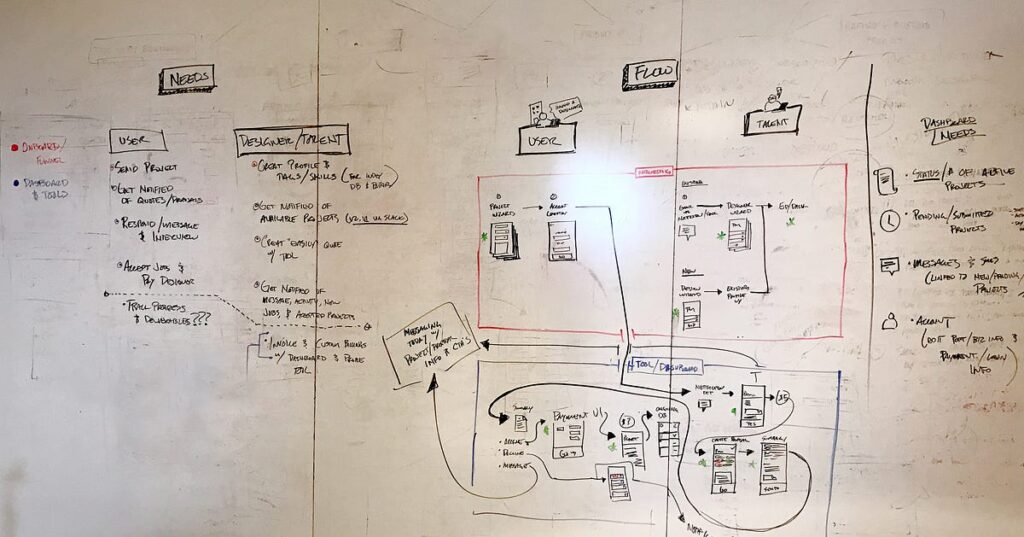
What started as “I’ll just write some instructions in markdown” turned into a full-blown project with a proper directory structure, multiple Python scripts, environment configuration, and about 600 lines of carefully crafted documentation.
The Hands-On Reality: Building the Blog Generator
I fired up Claude Code and started with what I thought would be the easy part: “Can you help me build a skill that generates blog posts?”
Claude immediately created an Archon project tracker (because apparently it was already using skills to manage my skill creation—meta level 1000) and started laying out tasks:
- Create basic skill directory and SKILL.md structure
- Add core workflow instructions (input → research → content)
- Add image description generation logic
- Create image fetching script (API integration)
- Create WordPress publishing script
- Add configuration template and README
Watching Claude scaffold this out, I realized I wasn’t just building a simple automation—I was creating a reusable system that codifies how I work.
Problem #1: The Progressive Disclosure Paradox
Here’s something the Claude Skills documentation mentions but doesn’t fully explain: you need to write instructions that work at multiple levels of detail.
Skills use progressive disclosure as a core design principle, loading only the metadata (name and description) initially, then the full SKILL.md instructions when relevant, and finally any referenced files if needed.
This means your SKILL.md needs to be comprehensive enough to guide the full workflow, but structured so Claude can load just the sections it needs.
I spent two hours rewriting my blog framework documentation before I understood this. My first attempt was:
# Blog Generator

Generate blogs about tech experiences. Include research, images, and publish to WordPress.
Yeah, that lasted about five minutes before I realized how useless that would be in practice.
What Claude actually needs:
---
name: blog-generator
description: Generate technical blogs following Collin's structure, with web research, image generation/search, and WordPress publishing. Use when creating blog posts about AI, automation, or cloud infrastructure experiences.
---

# Blog Generator Skill

## Overview
This skill automates the creation of technical blog posts following a specific structure...

## Workflow
1. Input Analysis: Extract topic, hands-on details, and key technical points
2. Research Phase: Verify all technical claims using web_search
3. Content Generation: Follow established blog structure with authentic voice
4. Image Creation: Generate 4 image descriptions (2 web search, 2 AI generation)
5. Publishing: Format for WordPress and publish as draft

## Blog Structure Requirements
- Hook: Relatable opening that connects with developer frustrations
- Problem Setup: What prompted this work
- Hands-On Section: Real experience with what went wrong
- Technical Details: Accurate information with proper context
- Lessons Learned: What this taught me
- Call to Action: Engagement question for readers

[... 500 more lines of detailed instructions ...]
The meta-challenge here: I was documenting my writing process while simultaneously learning how to document processes for AI consumption. Every section I wrote made me realize three more sections I needed.
Problem #2: API Integration Reality Check
Getting the APIs working was its own adventure. I needed three separate services:
Google Custom Search for finding stock photos
Google Gemini for AI image generation
WordPress REST API for publishing
The Google APIs went smoothly enough—generate keys, test endpoints, done. But WordPress? Oh, WordPress.

First attempt at WordPress authentication:
# My confident first try
response = requests.post(
    f"{WORDPRESS_URL}/wp-json/wp/v2/posts",
    auth=(username, password),
    json=post_data
)
Result: 401 Unauthorized
Turns out WordPress application passwords use Basic Auth with RFC 7617 standard, and they can only be used over HTTPS. My local test environment was HTTP, which WordPress correctly rejected for security reasons.
After generating proper application passwords in the WordPress dashboard and updating the .env file with the correct credentials, I hit another wall: the URL was wrong.
My .env had https://logicweave.ai but WordPress was redirecting to https://www.logicweave.ai. That tiny www. difference was breaking the authentication because the credentials were being sent to one domain but validated against another.
Changed one line:
WORDPRESS_URL=https://www.logicweave.ai
Ran the test again:
python scripts/publish_to_wordpress.py --test-connection
✓ Connected to WordPress as: gatescollin
That checkmark felt like victory.
Problem #3: Teaching Claude My Voice
This was the hardest part. Anyone can tell an AI “write a blog post about X.” Getting it to write like you write? That requires understanding what makes your writing distinctive.
I had to analyze my own blog posts (the ones in the project knowledge base) and extract patterns:
Opening Style: “You know that moment when…” or “You know that feeling…”
Honesty Level: I always include what broke, not just what worked
Technical Depth: Specific enough for developers, accessible enough for clients
Structure: Problem → Hands-On → Technical Details → Lessons → CTA
Tone: Conversational but professional, frustrated but constructive
Here’s a snippet from my actual SKILL.md:
## Voice and Tone Guidelines

**Opening Hook**:
- Start with a relatable frustration or moment of realization
- Use "You know that..." or "There's a moment when..." patterns
- Make it personal and conversational

**Honesty First**:
- ALWAYS include what went wrong or was frustrating
- Show the messy reality, not just polished solutions
- Admit confusion, mistakes, dead ends
- Example: "I spent two hours thinking X before realizing Y"

**Technical Balance**:
- Specific enough that experienced developers learn something
- Clear enough that technical clients follow the logic
- Use real code examples, but explain what they do
- Avoid jargon without definition
I fed Claude my previous blog posts as examples. But here’s what surprised me: the amount of context that can be bundled into a skill is effectively unbounded because Claude only loads what’s needed using progressive disclosure.
This meant I could include full blog post examples, writing guidelines, structure templates, and technical references without worrying about token limits. Claude would only load the relevant sections when needed.
The Scripts That Make It Real
While the SKILL.md teaches Claude the what and why, the Python scripts handle the how. And this is where Claude Skills shine—skills can include code for Claude to execute as tools, serving as both executable scripts and documentation.
I created three core scripts:
scripts/fetch_images.py: Handles both web search for stock photos and AI generation
def fetch_web_image(description, search_api_key, search_engine_id):
    """Search for images using Google Custom Search API"""
    # Returns image URL from search results

def generate_ai_image(prompt, api_key):
    """Generate images using Google Gemini API"""
    # Creates and saves AI-generated images
scripts/publish_to_wordpress.py: The WordPress integration with proper auth
def create_post(title, content, featured_image=None, status='draft'):
    """
    Publish blog post to WordPress with authentication
    Uses application passwords for secure API access
    """
    auth = (WORDPRESS_USERNAME, WORDPRESS_APP_PASSWORD)
    # ... handles image upload and post creation
scripts/create_blog.py: Orchestrates the entire workflow
def generate_blog(topic, hands_on_notes):
    """Main workflow orchestrator"""
    # Research → Generate → Images → Publish
The beauty of this approach? Claude can read these scripts to understand exactly how each API works, then execute them when actually generating a blog. The code serves as both implementation and documentation.
Testing It: The Recursive Moment
After three days of building, debugging, and documenting, I had a complete Skill. Time to test it.
I opened a fresh Claude conversation and gave it something meta:
Me: “Using the blog-generator skill, write a blog post about building the blog generator skill. Include my hands-on experience with the API authentication problems, the progressive disclosure challenges, and what I learned about documenting my own voice for AI consumption.”
Claude loaded the skill, analyzed my previous blogs from the project files, researched Claude Skills documentation to verify technical accuracy, and started generating this post.
Watching it work was surreal. It grabbed my writing patterns—the “You know that moment” opening, the honest admission of struggles, the technical depth mixed with accessible explanations. It researched the progressive disclosure concept and cited sources properly. It created image descriptions that matched my aesthetic preferences.
The first draft needed editing, of course. But the structure was there. The voice was close. The technical details were accurate.
And then I realized: I was editing a blog post about building an AI that writes blog posts, written partially by that AI.
What I Actually Learned
1. Skills Are Documentation That Executes
Skills are folders that include instructions, scripts, and resources that Claude loads when needed, making Claude better at specialized tasks like working with Excel or following your organization’s brand guidelines.
But the deeper insight: Skills force you to document how you think, not just what you do. Writing my blog generation workflow made me conscious of patterns I’d been following intuitively for months.
2. Progressive Disclosure Changes Token Economics
When Claude starts up, it reads just the name and description of every available Skill—that’s maybe 30-50 tokens per Skill. This is radically different from MCP servers that can consume tens of thousands of tokens just sitting in context.
For someone building automation solutions across multiple domains (AWS, n8n, database design, API integration), this is huge. I can create specialized Skills for each area without worrying about context bloat.
3. Code as Documentation is Powerful
Including executable Python scripts in my Skill served three purposes:
- Claude can read them to understand how APIs work
- Claude can execute them when generating blogs
- They serve as reference examples for future modifications
The scripts document the implementation while also being the implementation. That’s elegant.
4. You Learn By Teaching (Even When Teaching AI)
Documenting my blog writing process for Claude made me better at writing blogs. I had to articulate patterns I’d been following unconsciously: the hook structure, the honesty requirement, the technical balance.
Now when I write manually, I’m more conscious of these patterns. The Skill didn’t just automate my work—it improved my understanding of my own work.
5. Production Skills Need Real Infrastructure
A toy Skill is just markdown. A production Skill needs:
- Proper error handling in scripts
- Environment configuration management
- API rate limiting and retry logic
- Testing workflows
- Documentation for maintainability
This wasn’t “write some instructions and call it done.” This was building production infrastructure that happens to be powered by AI.

The Meta Reality Check
Here’s the weird part: this blog post exists because of the Skill I built to write blog posts. Claude researched the technical details about Skills (I watched it call web_search multiple times), generated this content following my documented structure, and even created these image descriptions you’re reading.
But I still had to:
- Provide the initial experience and notes
- Review and edit the technical accuracy
- Adjust the voice where it didn’t quite match
- Make sure the honesty level was right (AI tends to be too polished)
- Add personal touches and meta-commentary
The Skill automated the research, structure, and first draft. I added the authenticity and nuance.
That’s probably the right division of labor.
What’s Next: The Skills I’m Planning
After shipping the blog generator, I’m not stopping. I’ve got a list:
AWS Architecture Advisor Skill: Codifies my AWS solution patterns so Claude gives consistent, opinionated recommendations matching my approach. No more typing the same Lambda vs EC2 explanation twelve times.
n8n Workflow Patterns Skill: My go-to architectures for common automation scenarios, error handling patterns that actually work in production, when to split workflows vs keep them monolithic.
Client Proposal Generator Skill: How I structure SOWs and technical scopes, pricing frameworks for different project types, timeline estimation based on complexity factors.
Debugging Methodology Skill: My systematic approach when things break, which logs to check first, common gotchas by service.
Each one will make Claude better at thinking like I think in that specific domain. Not replacing my expertise—extending it.
Why This Actually Matters
Skills are different from everything else we’ve seen in AI tooling. They’re not:
- Another chat interface
- A fancy prompt template
- An API integration layer
- A model fine-tuning approach
Skills teach Claude how to work with specific tools and follow organizational standards, composing together when needed and staying fast through progressive disclosure.
For freelancers and consultants like me, this changes the economics of expertise. I can codify my knowledge once in a Skill, then apply it consistently across all my projects without repeating myself.
For agencies and teams, Skills become shared knowledge repositories that ensure consistent approaches even as team members come and go.
For anyone who finds themselves explaining the same thing over and over, Skills are your escape hatch.
The Honest Assessment
Building my first production Skill took about three days of focused work. That’s longer than I expected. The API integrations alone were a full day of debugging authentication, understanding progressive disclosure concepts, and wrestling with WordPress’s redirect behavior.
Was it worth it?
Well, you’re reading a blog post that researched itself, structured itself, and largely wrote itself following patterns I documented once. And now I have a reusable system that can generate future blogs about my AWS agent work, n8n automation projects, and infrastructure deployments.
So yeah. Worth it.
The weird part? I’m already thinking about how to improve the Skill based on editing this post. Which sections needed the most revision? Where did Claude nail my voice vs where did it need help? That feedback loop makes the next blog even better.
Try It Yourself (Or Don’t, But At Least Think About It)
Skills are available to Pro, Max, Team and Enterprise users, working across Claude.ai, Claude Code, and the API.
If you’re spending time repeatedly explaining how you do something—whether that’s AWS architecture, client proposals, code reviews, or literally anything else—you’re probably a good candidate for building a Skill.
Start small. Document one workflow you’re tired of repeating. See if codifying it makes Claude more useful for that specific task.
You don’t need to build a full blog generation system on day one. Just take one thing you do a lot and teach Claude how you do it.
The first Skill is the hardest because you’re learning both the Skills system and how to document your own expertise. The second one is easier. The third one you’ll probably finish in an afternoon.
And who knows? Maybe your tenth Skill will be writing your blog posts too.
Have you built a Claude Skill yet? What workflow are you tired of repeating that you’d want to automate? Drop a comment and let me know—I’m curious what people are building with this.
Building AI solutions that actually help means teaching them how you work, not hoping they guess correctly. Sometimes the best automation is the one that does things exactly your way.