
mcp.json Security: A Worm Now Hunts Your Claude Config
A npm worm now hunts ~/.claude/mcp.json by name. Here is a hands-on mcp.json security pass — env indirection, scoping, and 4 checks I ran today.
 Collin GatesApr 27, 20266 min read
A npm worm shipped Wednesday night with one job: read ~/.claude/mcp.json and exfiltrate every key inside. I checked my own machine before writing this post. Here is what I found, what I shipped today as a mcp.json security pass, and why “I only install trusted packages” is not going to save you.
This is really a quieter problem. The convenience that made MCP take off — drop your API key in a JSON file and forget about it — has now become the credential aggregation point attackers were waiting for.
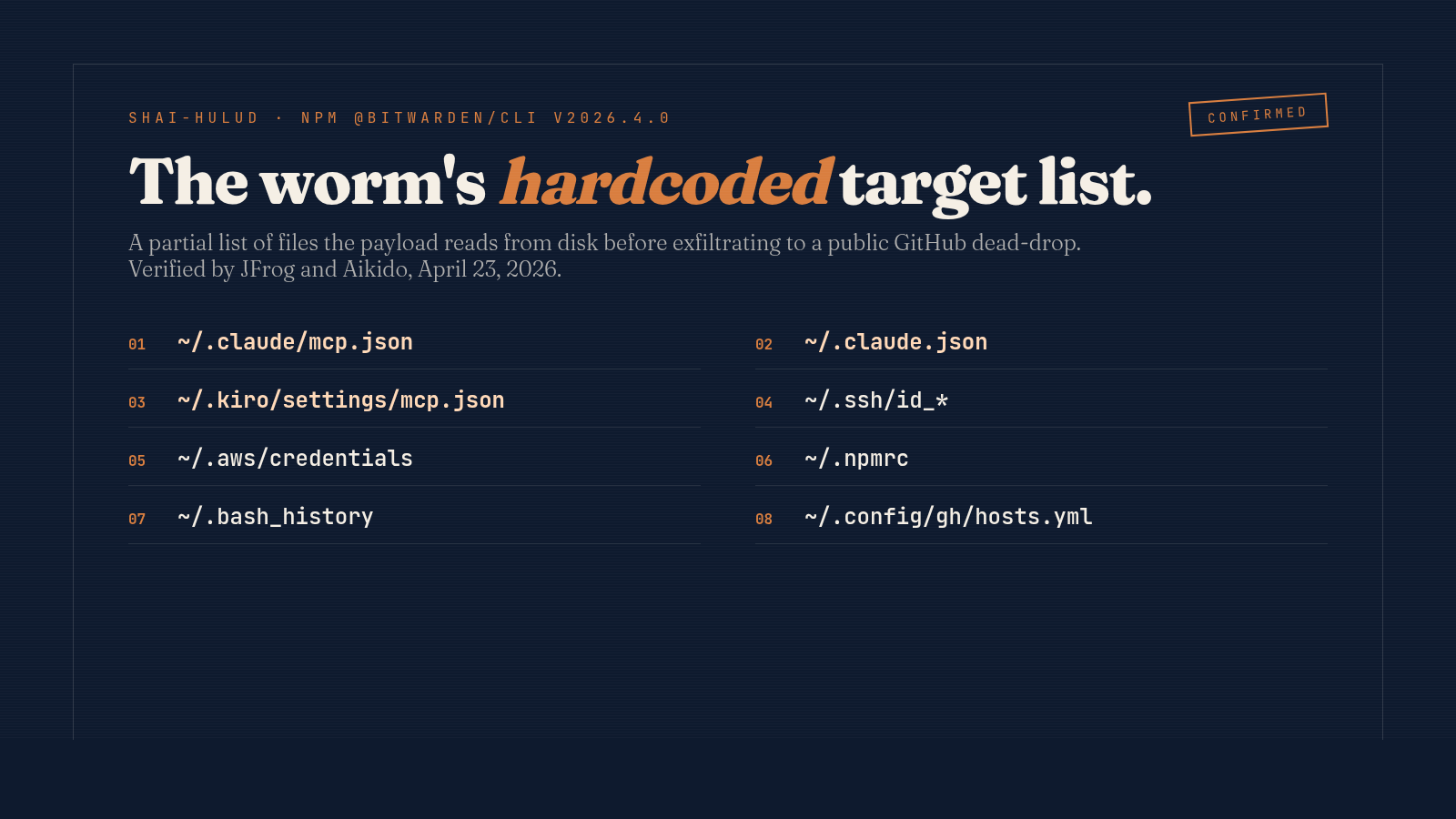
What the Shai-Hulud worm explicitly hunts
On the night of April 22–23, 2026, version 2026.4.0 of @bitwarden/cli went out on npm carrying a malicious payload. The package pulls 78,000 weekly downloads. JFrog and Aikido both confirmed the attack independently within 24 hours.
The two-stage payload (bw_setup.js downloads a Bun runtime, then runs a 10 MB obfuscated bw1.js) reads from a hardcoded list of files. Two of the entries are AI-CLI configs:
~/.claude/mcp.json~/.claude.json~/.kiro/settings/mcp.json
That is not a generic “scan for any config” sweep. It is a list of paths an attacker chose deliberately because they knew what would be inside.
The propagation is the part that makes it worse than usual. Once a developer machine is hit, the payload uses that developer’s npm tokens to republish their packages. Stolen GitHub tokens get dropped into public repos under the victim’s account as “dead-drops” — checkpoints other infected machines can chain off of. The worm does not need to compromise your package. It just needs to compromise someone in your dependency graph who has push access.
The two files inside your mcp.json security blast radius
When I ran the inspection on my own machine, I found two files matter — not one.
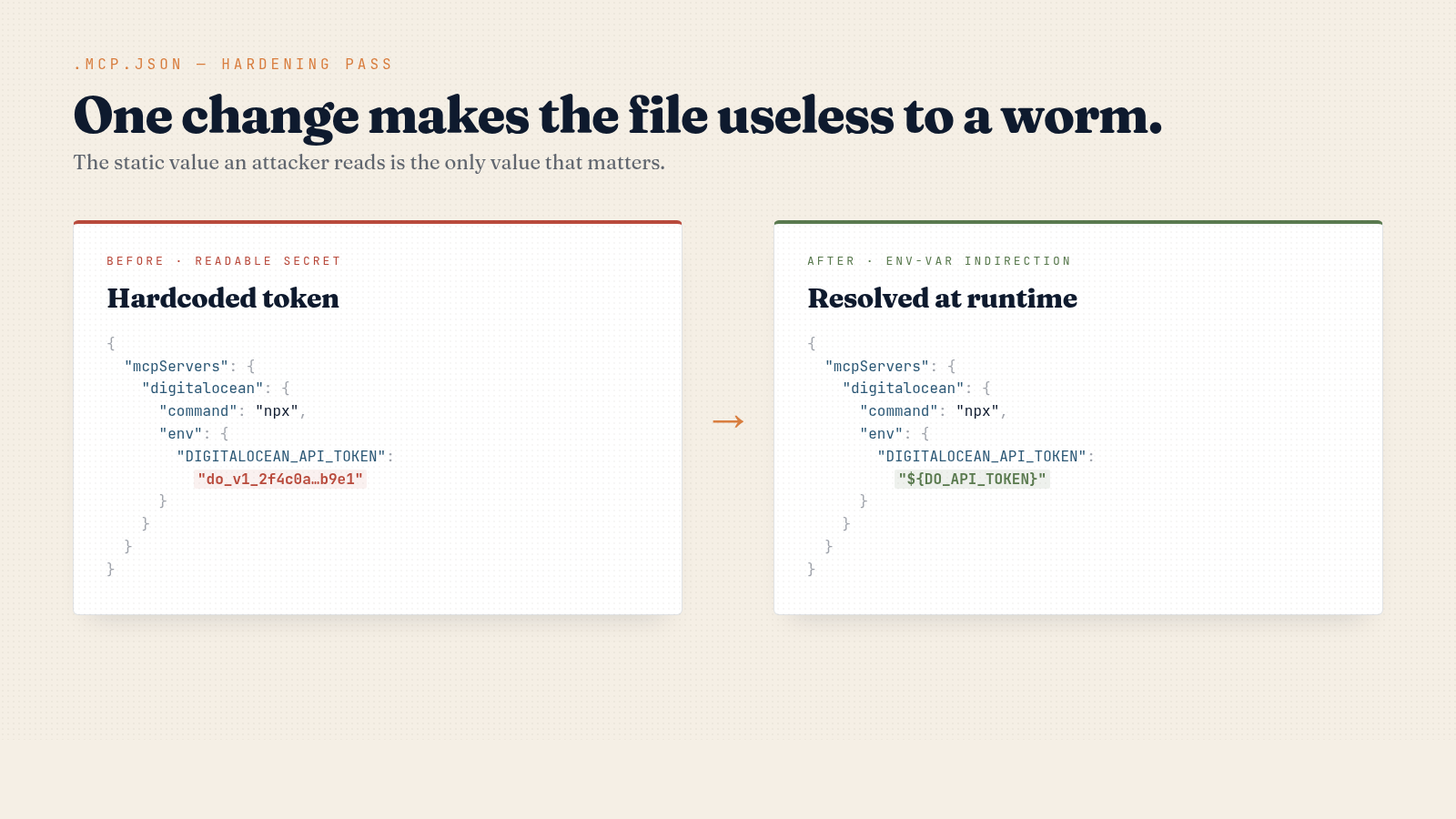
The project-scoped .mcp.json is the one you think about. Mine is 26 lines, three servers, and uses env-var indirection — the static file an attacker reads contains the literal string ${DO_API_TOKEN}, which is useless without my shell environment.
The other file is ~/.claude.json — the same state file I dug into in my Claude Code memory write-up, except now it has hostile readers. On my machine: 101 KB, 2,827 lines, remembering every project I have ever opened — 40+ paths, each with its own mcpServers block. I migrated this assistant from ~/.../PersonalAIssistant to ~/.../MyAssistant weeks ago. The old path still shows up in ~/.claude.json with clickup and n8n-builder MCP servers configured. If those had used hardcoded keys, deleting the project folder would not have rotated them. I would not have noticed.
That is the bigger surface. People reading this thinking “I never put secrets in mcp.json” should grep ~/.claude.json before deciding they are clean.
Four mcp.json security moves that actually work
I ran four moves today. Two were already in place; two were not.
1. Env-var indirection. Reference ${ENV_VAR} instead of pasting the token literally. The MCP server resolves it at startup from the shell environment. The catch: Bastion’s writeup notes that 48% of MCP server implementations still recommend plaintext storage, and many do not expand ${VAR} at all. Read your specific server’s docs. If yours does not support indirection, file it as a security issue.
2. .gitignore and audit history. I committed a gitignore update for .mcp.json today. Mine never had hardcoded secrets, so no actual leak — but the file was tracked in git for weeks before I caught it. If yours had a real token at any point, git rm --cached does not rewrite history; the token is leaked and needs rotation, not deletion.
3. Scoped tokens, always. A read-only Supabase token is useless to a worm exfiltrating data for resale. A single-folder Drive scope cannot crawl your whole drive. A repo-scoped GitHub PAT cannot republish your other repos. Spend 90 seconds in each provider’s UI to scope the key down. This converts “leaked key” from operational disaster into “rotate it Monday.”
4. A pre-commit hook for the loud patterns. Block commits that add a hardcoded JWT, sk-…, ghp_…, AKIA…, DO PAT, or Stripe live key:
PATTERNS='(eyJ[A-Za-z0-9_-]{20,}|sk-[A-Za-z0-9]{20,}|ghp_[A-Za-z0-9]{30,}|AKIA[A-Z0-9]{16}|do_v1_[a-f0-9]{30,})'
git diff --cached -- .mcp.json claude.json | grep -E '^\+' | grep -E -q "$PATTERNS" && {
  echo "Hardcoded secret in MCP config — use \${ENV_VAR} indirection."; exit 1; }
This is not a substitute for gitleaks or trufflehog, but it stops the muscle-memory mistake of pasting a key in to “just test something.” If you want a deeper take on scoping the key surface itself, see my zero-trust write-up.
Why publisher trust does not save you
Bitwarden has been on npm for years. The compromise does not appear to have happened by stealing a maintainer’s password — based on the JFrog and Aikido analyses, the attack vector was further upstream, and the worm’s propagation is what amplifies it.
Once a developer machine is hit, the payload uses that developer’s npm tokens to republish their packages. Stolen GitHub tokens get committed to public repos under the victim’s account. So “I only install from reputable publishers” was already a brittle defense before this week — your dependencies’ dependencies’ dependencies are part of your trust boundary too. Shai-Hulud propagates exactly through that gap.
The realistic posture: assume any installed npm package can read every file in your home directory at any moment. Then go scope your keys until that is an annoyance instead of a disaster. My Archon write-up has more on the broader “AI dev tools have become a credential surface” framing.
Run these five commands today
# 1. Scan your MCP configs for the loud patterns
grep -E '(eyJ|sk-|ghp_|AKIA|do_v1_|AIza)' \
  ~/.claude/mcp.json ~/.claude.json $(pwd)/.mcp.json 2>/dev/null

# 2. Audit per-project mcpServers for stale projects
python3 -c "import json; d=json.load(open('$HOME/.claude.json'))['projects']; \
  [print(p, list(v.get('mcpServers', {}).keys())) for p, v in d.items() if v.get('mcpServers')]"

# 3. Confirm .mcp.json is gitignored
grep -q '^\.mcp\.json$' .gitignore && echo OK || echo NEEDS-FIX

# 4. Check git history for past commits of .mcp.json
git log --all --oneline -- .mcp.json

# 5. Rotate any tokens that ever lived in those files in plaintext
#    (no shell command — go to each provider's UI and click rotate)
If step 4 shows old commits and you do not remember what was in them, treat the tokens as leaked and rotate. This is a 30-minute Sunday afternoon, not a Q3 OKR. Do it before another package in your install graph turns out to be the next vector.
FAQ
Is the Shai-Hulud worm still active on npm?
The malicious version of @bitwarden/cli was removed within hours, but the propagation mechanism reuses stolen tokens to reinfect other packages. Treat any package update from the past 72 hours as suspect, and check JFrog and Aikido for the running list of known-infected packages.
Does the worm work on Windows or WSL?
Yes. The two-stage payload uses Bun and Node, both cross-platform — WSL is just another file system path the malware reads. The hardcoded target paths use ~, which resolves on every Unix-like environment.
If my mcp.json only has free-tier API keys, is mcp.json security still a big deal?
It is a smaller deal but still a deal. A free-tier key with default scopes can usually still read your data, post on your behalf, or be used to enumerate your account before a rate limit kicks in. Scope and rotate anyway — it is cheap.