I had a content problem that was getting worse every week. I was already using Claude Code agents for builds and client work — but my content workflow was still entirely manual.
Every blog post I published could become 3-5 LinkedIn posts. Every trending topic in the AI space was a potential article. Every published piece needed SEO optimization and internal linking. I knew the system I wanted — I just didn’t have a way to run it without doing everything manually.
Then I found an open-source repo with over 120 pre-built AI agent templates for Claude Code. I cherry-picked 4 of them, customized them for my business, and wired them into a pipeline that turns one blog post into a week of LinkedIn content — with SEO audits and ClickUp tasks created automatically.
What Are Claude Code Agents? (And Why They’re Not Just Prompts)
Claude Code agents are markdown files stored in .claude/agents/ that give Claude a specific identity, rules, and workflow. When you activate one, Claude stays in that role — it follows the agent’s instructions, uses its tools, and thinks like that specialist.
It’s like giving a contractor a detailed job description, a style guide, and access to your systems. Except the contractor can read your Google Drive, search your content database, and create tasks in ClickUp.
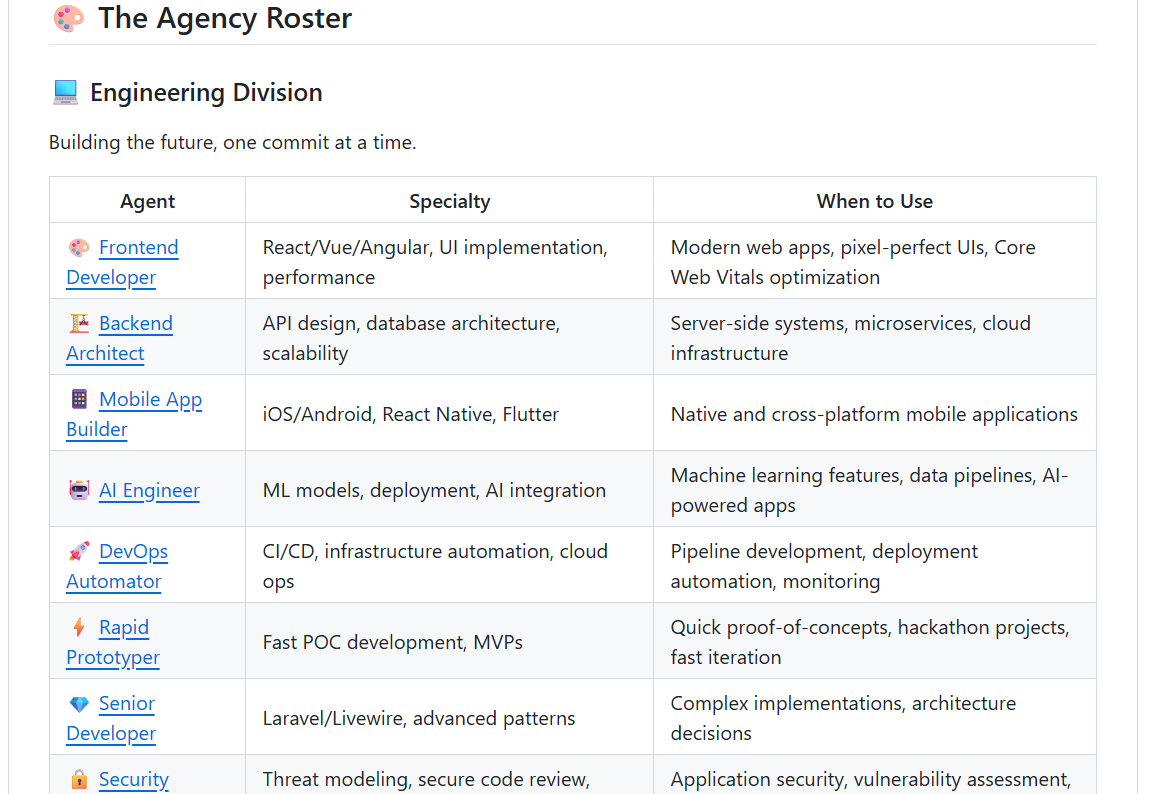
The agency-agents repo has over 120 of these templates. Content creators, SEO specialists, LinkedIn writers, trend researchers, product managers — the full roster. They’re well-structured and immediately usable.
But they’re completely generic. A “Content Creator” agent knows how to plan content in general. It doesn’t know my brand, my audience, my posting schedule, or my tools. That’s the gap I needed to fill.
Choosing Claude Code Agents: I Only Needed 4 of 119
Out of 119 agents, I took four — the ones that mapped to my actual content workflow:
- Content Creator → became my Content Strategist (plans what to create)
- LinkedIn Content Creator → became my LinkedIn Creator (writes the posts)
- SEO Specialist → became my SEO Specialist (optimizes blog content)
- Trend Researcher → became my Trend Researcher (finds topics)
I skipped social media management, product management, email marketing — none of it relevant to a freelance AI consultancy’s content needs right now. Taking everything would have meant maintaining agents I’d never use.
The Research That Made It Work
Before touching a single agent file, I pulled all of my brand documentation from Google Drive:
- Brand & Content Strategy — content pillars, dual audience strategy, voice profile, weekly posting schedule, team roles, ClickUp workflow
- LinkedIn Post Examples — 10 post formats with design specs, character counts, real example copy
- Business Overview and Technical Knowledge Base — positioning, services, tech stack
This research phase was the actual work. The brand docs became the source material for every customization. Without this step, the agents would just be slightly tweaked generic templates — still not really mine.
AI Content Pipeline Architecture: Separating Planning from Execution
The generic Content Creator writes content across multiple platforms — blogs, video scripts, podcasts, social media. I didn’t need another writer. I needed a planner.
So the Content Creator became the Content Strategist — an agent that only plans, never writes. It looks at what’s published, checks which content pillar is underrepresented (I target 40% Education, 30% Authority, 20% Awareness, 10% Conversion), identifies blogs that haven’t been repurposed yet, and outputs content plans with specific briefs.
Then the LinkedIn Creator executes those briefs. The SEO Specialist audits the blog. The Trend Researcher feeds topics into the Strategist.
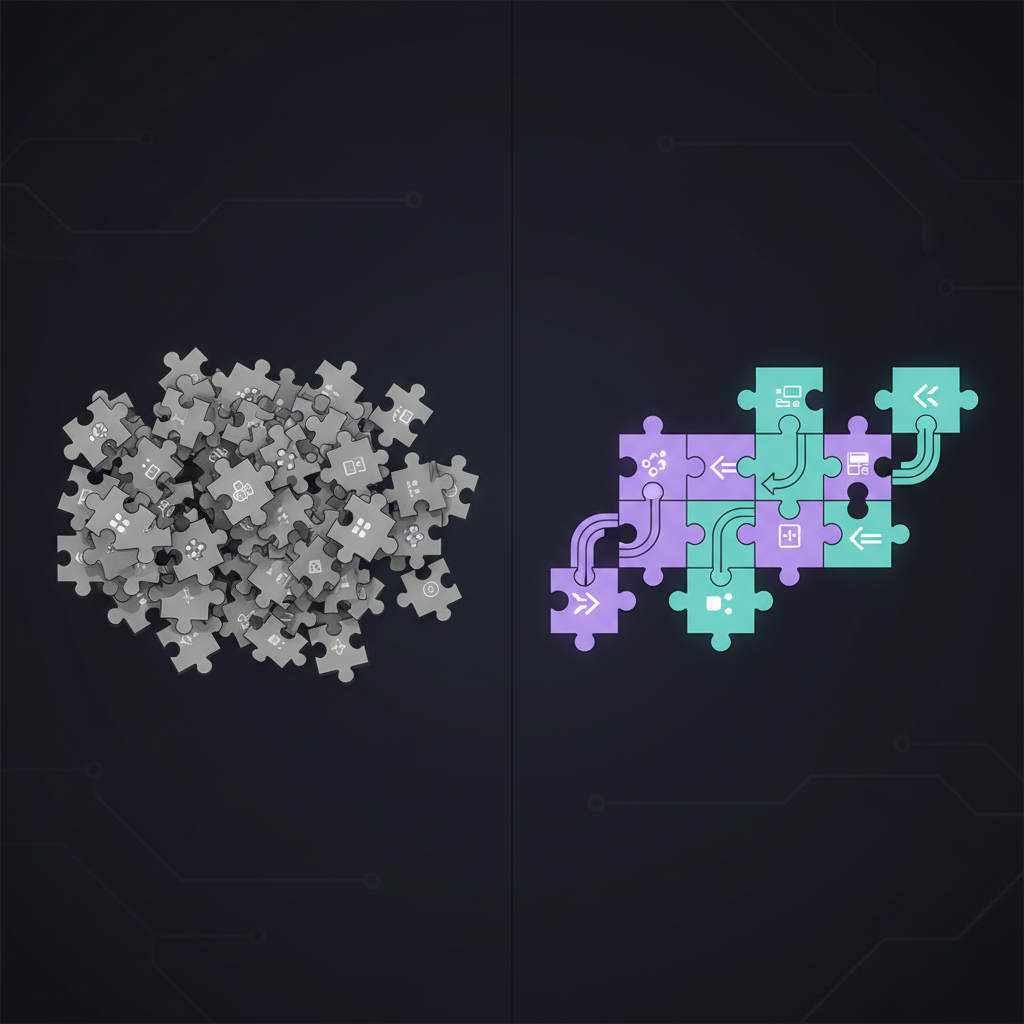
This separation was the architectural choice that made everything else work. One agent sees the whole landscape and makes coherent decisions. Specialized agents execute without needing to understand the bigger picture.
Connecting Claude Code Agents to Google Drive, Supabase, and ClickUp
Every agent got a shared preamble connecting it to my actual tools:
- Brand docs fetch command — pulls the latest strategy from Google Drive (using the gws CLI setup I built earlier)
- Vector store search — queries my Supabase content database to check what’s already published
- Skills — create-blog-post, create-linkedin-post, publish-wordpress, store-supabase
- ClickUp integration — creates tasks in my Content & Campaigns pipeline
This preamble is what turns 4 separate agents into a system. Without it, you’ve got smart agents that can’t access your stuff — like hiring consultants who can’t log into your systems.
How I Customized Each Claude Code Agent
Each agent got specific modifications based on the brand docs. Some highlights:
The LinkedIn Creator got my actual voice profile — with on-voice examples (“I spent three hours debugging Azure CLI on Windows. Switched to Ubuntu. Fixed in four minutes.”) and off-voice rules (“Excited to share my thoughts on AI agents!” — never). It knows all 10 post formats, the 2-hashtag max, the no-links-in-body rule, and the golden hour engagement strategy.
The SEO Specialist got scoped to logicweave.ai specifically — my topic clusters (AI agents, n8n, Claude/MCP, cloud deployment), keyword targets, and a rule to preserve my narrative voice in header rewrites. SEO wins when they conflict, but it flags the tradeoff.
The Trend Researcher got massively simplified. The generic version had patent analysis, VC intelligence, TAM/SAM/SOM sizing. For a freelance consultancy, I cut all that. It now monitors r/ClaudeAI, r/n8n, Anthropic’s changelog, Hacker News, and AI Twitter — and tags every recommendation by content pillar.
Testing the AI Content Pipeline: One Blog to Five LinkedIn Posts
I ran the pipeline against my most recent blog (“How I Gave Claude Code Full Access to Google Workspace”).
The Content Strategist analyzed it and planned 5 LinkedIn posts — each from a different angle: a carousel comparing MCP servers vs. the gws CLI, a story post about the OAuth debugging wall, a contrast post about AI being “brilliant and blind,” a screenshot walkthrough of installation gotchas, and a poll about instructions vs. tools.
The LinkedIn Creator ran 5 times in parallel. Each post came back with 3 hook variants, full copy, first comment text, and design notes for my designer. All 5 were pushed to ClickUp as tasks with Platform, Content Type, and due dates filled in.
The SEO Specialist audited the blog and found zero internal links (should be 3-5), thin content, wrong author schema, and a missing FAQ section.
Total: one conversation session.
What Went Wrong
The SEO agent’s first audit recommended replacing my header “The Tool That Made It Click” with “What Is the Google Workspace CLI (gws)?”. Technically correct for search. But it killed the personality that makes people actually read my posts. I added a rule: front-load the keyword, keep the voice. “What Is the Google Workspace CLI? (The Tool That Made It Click)” — both sides win.
The generic templates saved maybe 30% of the effort. The other 70% was researching my brand docs, deciding what to keep vs. cut, wiring in infrastructure, and testing the chain. If you’re expecting to fork the repo and have a working system — you won’t. The customization is the product.
The Full Claude Code Content Pipeline
Here’s how content moves through the system:
- Trend Researcher surfaces topics worth writing about
- /create-blog-post skill writes the blog from my direction
- SEO Agent audits it — title, headers, internal links, schema
- /publish-wordpress pushes the optimized version live
- Content Strategist plans 3-5 LinkedIn posts from the blog
- LinkedIn Creator writes them in parallel from the strategist’s briefs
- ClickUp tasks get created — my team designs, schedules, publishes
I do the research, live the experience, and provide direction. The agents handle structuring, drafting, and optimization. My team handles design and distribution. Nothing publishes without my review.
FAQ: Claude Code Agents for Content
What are Claude Code agents?
Claude Code agents are markdown files stored in your project’s .claude/agents/ directory that give Claude a specific role, rules, and workflow. When activated, Claude follows that agent’s instructions and uses its designated tools — acting as a specialist rather than a generalist.
How many agents do I need for a content pipeline?
I use four: a Content Strategist (plans what to create), a LinkedIn Creator (writes posts), an SEO Specialist (optimizes blog content), and a Trend Researcher (finds topics). Start with the minimum that covers your actual workflow.
Can Claude Code agents work with external tools like ClickUp and Google Drive?
Yes. Through MCP servers and CLI tools like gws, Claude Code agents can read Google Drive docs, search vector databases, create ClickUp tasks, and publish to WordPress — all within a single conversation session.
Where can I find pre-built Claude Code agent templates?
The agency-agents repo on GitHub has 119 templates across 12 divisions. They’re well-structured starting points, but you’ll need to customize them with your brand docs, tools, and workflow to get real value.
If you want to build something similar, start with the agency-agents repo. But start with your brand docs first — the infrastructure and customization is where the value lives.