
Microsoft Work IQ API: I Hit a Wall Nobody Warns You About
I configured the Microsoft Work IQ API end-to-end and still hit a 403. Here’s what Microsoft’s new agent API actually takes to use.
 Collin GatesJun 22, 20266 min read
I had a token in my hand, the right scope, admin consent granted, a billing policy attached, and a Copilot license sitting on my account. I typed one question — “What meetings do I have today?” — and the Microsoft Work IQ API answered in 597 milliseconds: 403 NoPolicy. “AI credits access is not configured for this user.”
I’d done everything Microsoft’s docs told me to. The wall didn’t care. That afternoon taught me more about what this API really is than any announcement post could — so here’s the honest version, for builders deciding whether it’s worth their time.
What the Microsoft Work IQ API actually is
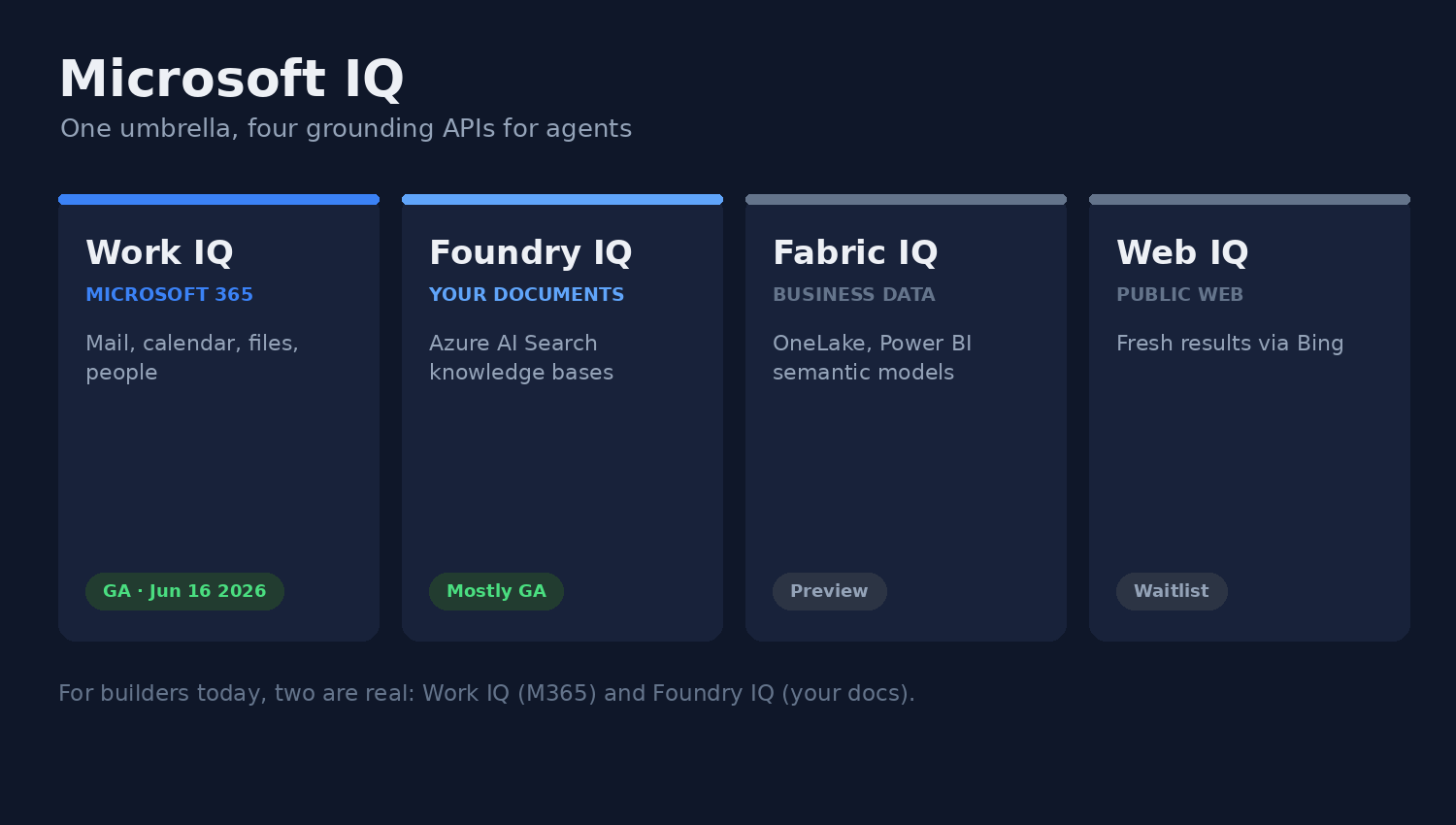
First, clear up the naming, because most coverage gets it wrong. There’s no single “Microsoft IQ API.” At Build 2026, Microsoft launched Microsoft IQ as an umbrella — four separate grounding APIs that let agents reason over different slices of your world:
- Work IQ — Microsoft 365: mail, calendar, files, people. GA June 16, 2026. The one I tested.
- Foundry IQ — your own documents, via Azure AI Search knowledge bases. Mostly GA.
- Fabric IQ — analytics and business data in OneLake and Power BI. Preview.
- Web IQ — fresh public web through Bing. Waitlist.
For agent builders today, two are real: Work IQ (talk to Microsoft 365) and Foundry IQ (talk to your own docs). Work IQ is the headline. The pitch is the same intelligence layer behind Copilot, handed to your agents: ask a question in plain English, get a Copilot-grade answer over real M365 data, with permissions enforced for you. You don’t build the index, the retrieval, or the permission-trimming. Microsoft owns everything below the API line; you own the agent above it.
The clever part: 10 tools instead of 300
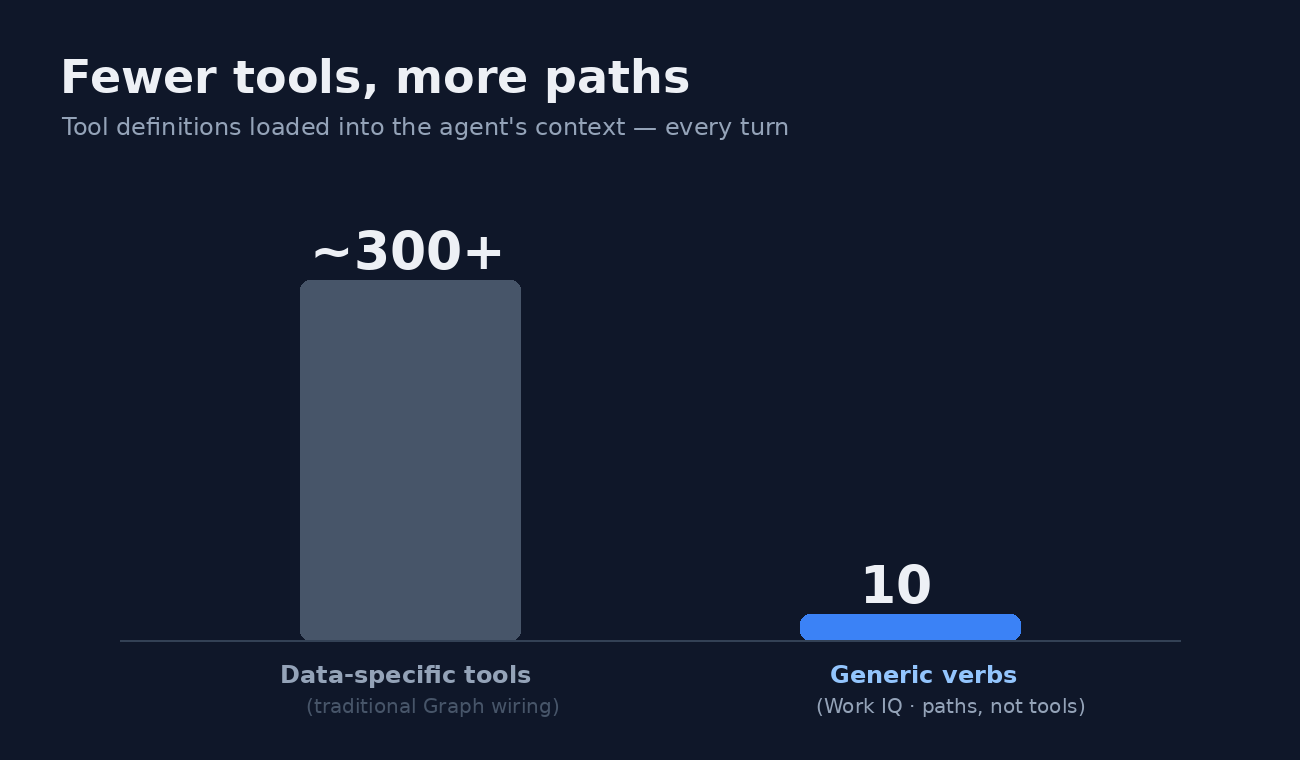
Here’s what’s genuinely worth the attention. Instead of teaching an agent hundreds of data-specific tools — sendMail, getEvent, listFiles, on and on — Work IQ collapses the entire Microsoft Graph surface into ten generic tools. I installed the official CLI and counted them myself: six entity verbs (fetch, create, update, delete, do-action, call-function), two Copilot tools (ask, agents), and two for runtime discovery (get-schema, search-paths).
The trick is “fewer tools, more paths.” A new M365 workload doesn’t add a tool — it adds a path. You read mail with fetch /me/messages and send it with do-action /me/sendMail. The agent discovers what’s available at runtime with search-paths and get-schema instead of carrying thousands of type definitions in its context from the start.
That matters for one concrete reason: every tool definition an agent registers is tokens in the prompt, on every single turn. Hundreds of tools is a tax you pay forever. Ten generic verbs keeps it tiny and flat, and the agent pulls the one schema it needs, when it needs it. Microsoft claims this runs ~80% fewer tokens and ~2× faster than raw Graph for agent workloads — their numbers, no third-party benchmark, so take it as a direction, not a fact. But the design is sound, and it’s a pattern any MCP server author can borrow.
Setup was an afternoon, not five minutes
This is where marketing and reality split. “Just call the API” turned into a checklist. I’m a Google Workspace shop, so step zero was standing up a Microsoft 365 tenant at all — which already tells you who this is built for.
Then: enable the tenant by creating the Work IQ service principal (no Azure CLI on my machine, so I did it through Graph Explorer — a POST /servicePrincipals with Work IQ’s app ID). Register an Entra app, turn on public-client flows, add the single delegated scope WorkIQAgent.Ask, grant admin consent. Stand up an Azure subscription inside the new tenant, create a pay-as-you-go billing policy, connect it to Copilot, assign my user. Each step is its own portal with its own propagation delay.
None of this is hard if you’ve lived in Azure — it’s the same Entra-app, admin-consent, RBAC dance I’ve written about with Azure AI Foundry and deploying MCP servers to Azure. But “an afternoon of portal plumbing” is the honest on-ramp, not the five-minute quickstart the announcement implies.
The wall: billing, licensing, and a 403 that won’t quit
Auth itself was clean. I wrote a small Node script — device-code sign-in for the WorkIQAgent.Ask scope, then a JSON-RPC SendMessage to the A2A gateway at workiq.svc.cloud.microsoft. Token acquired, call landed in well under a second. The network was never the problem.
The problem was NoPolicy. Microsoft’s messaging says Work IQ billing is “independent of Copilot licensing” — you pay per Copilot Credit, about a cent each, no seat required. So I set up a correct pay-as-you-go billing policy, confirmed the Azure subscription was active, confirmed my user was in scope, and force-refreshed the token to rule out stale claims. Still 403 NoPolicy, 35 minutes later. Then I assigned myself a Copilot license to test the other half of the contradiction — and as I write this, the gate is still propagating.
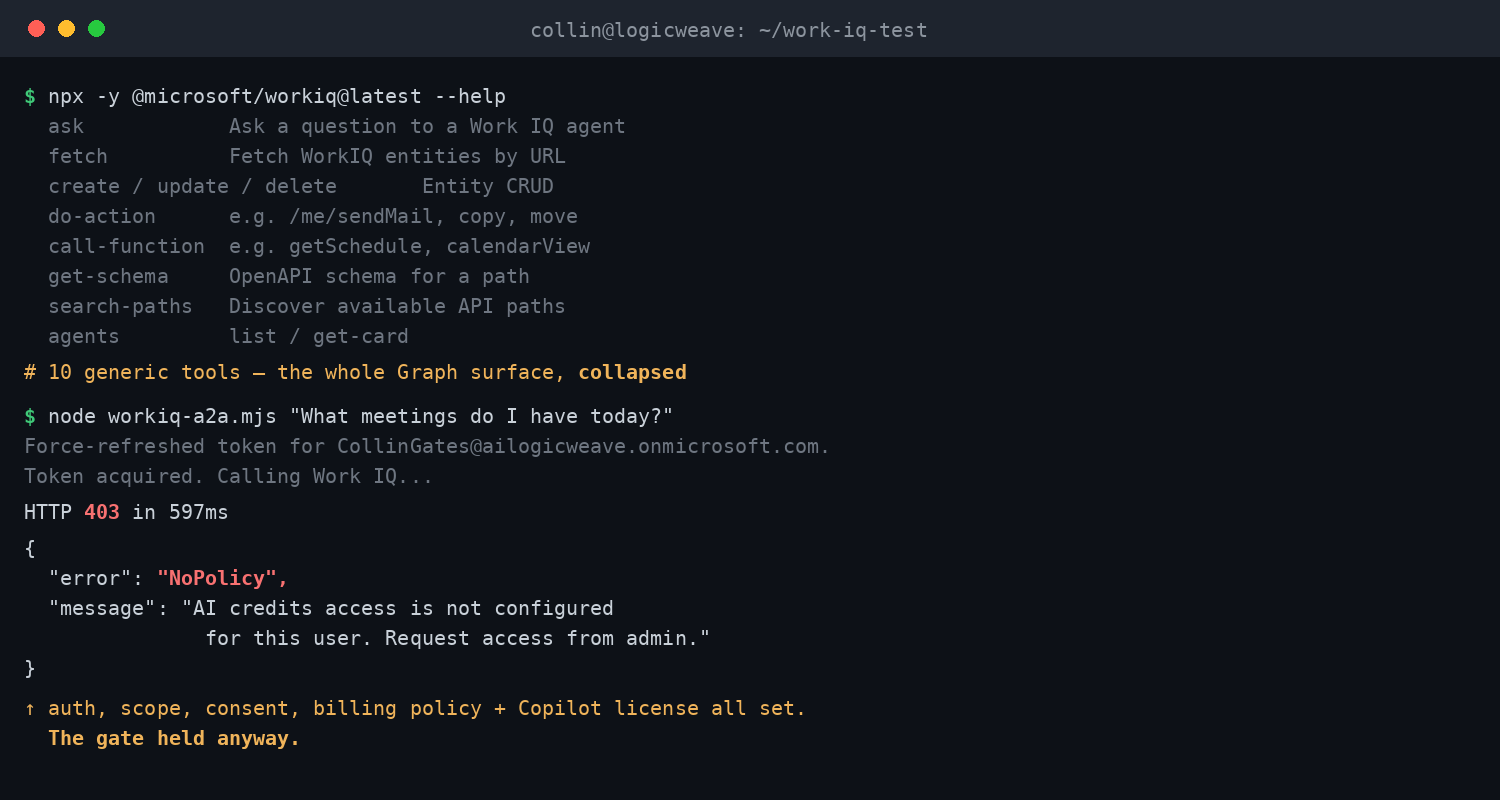
That’s the finding the docs dodge: a fully-configured billing policy alone did not unlock the API in my window, and the “you don’t need a Copilot seat” claim is, at best, optimistic. The other quiet gotcha — auth is delegated-only. Every call needs a signed-in user. There’s no app-only flow, which means the unattended “nightly agent reasons over the mailbox” pattern everyone assumes works… doesn’t. Not yet.
Who should actually use the Work IQ API
Use it if you’re already a Microsoft 365 shop, you want Copilot-grade grounding and governance without building a retrieval stack, and your agents are assistive — a human in the loop — so delegated-only auth is fine. That’s a real, large category, and for them Work IQ removes the hardest, most thankless part of enterprise RAG: permission-trimming that’s correct by construction.
Skip it, for now, if you’re not on M365 (there’s nothing to ground against), if you need unattended backend agents, or if you can’t stomach a Copilot-license-plus-billing setup just to get a “hello world.” It’s the same lesson from every two-week validation sprint I run: the intelligence is the easy part. The plumbing, the permissions, and the licensing are where the time and the money actually go.
Want to try it yourself? Start with the official CLI — npx -y @microsoft/workiq mcp — and budget an afternoon for tenant setup before you write a line of agent code. Know the wall is there, and you’ll get past it faster than I did.
FAQ
What is the Microsoft Work IQ API?
It’s the API that exposes the intelligence layer behind Microsoft 365 Copilot to your own agents. An agent can ask natural-language questions over a user’s real M365 data — mail, calendar, files, people — and get a citation-grounded answer with permissions enforced automatically. It became generally available on June 16, 2026.
Do you need a Microsoft 365 Copilot license to use Work IQ?
Microsoft says billing is independent of Copilot licensing and runs on pay-as-you-go Copilot Credits. In practice, a correctly-configured billing policy alone returned a NoPolicy error in my testing, and the official samples expect a Copilot-licensed user. Plan for a license until Microsoft clarifies.
How many tools does the Work IQ API expose?
Exactly ten generic tools: fetch, create, update, delete, do-action, call-function, ask, agents, get-schema, and search-paths. New data sources add resource paths rather than new tools, which keeps an agent’s token overhead flat instead of growing with every workload.